Gave up learning
editing apps?
No timeline. Pick one photo and
you're done. Edit only when you want to.
No prompts, no editing.
Upload a photo and AI turns it into a video for Reels, TikTok and Shorts.




Sound familiar?
Editing is hard, prompts are daunting, and photos keep piling up? Give it a try.
No timeline. Pick one photo and
you're done. Edit only when you want to.

Nothing to type. AI reads the photo
and writes the captions for you.
Just pick a template. A photo in your
gallery becomes today's short video.

Made and saved in 9:16.
Download and post it as is.
Template
We have a wide range of templates. Pick one and fonts, effects and animations are applied at once. Not a fan? Switch with a single tap.

Edit
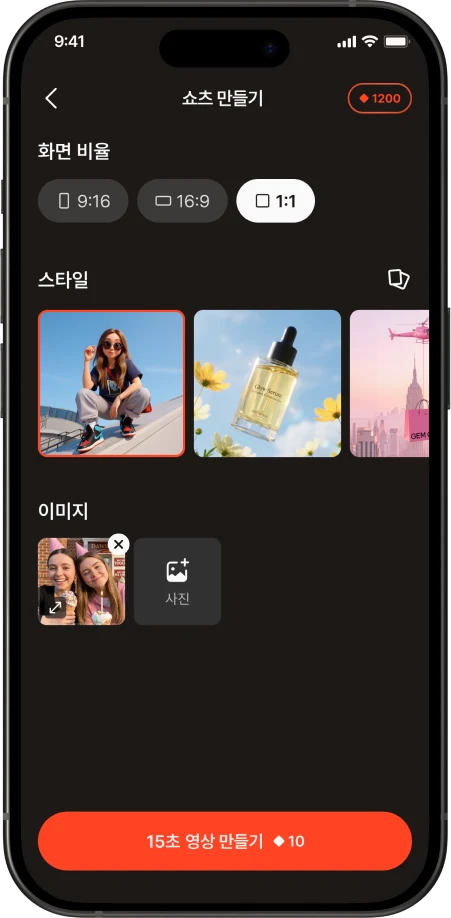
Timeline, captions, stickers, filters, music. No need to open another editing app — it's all done inside gemgem video. An easy editor you can pick up without learning.
Before / After
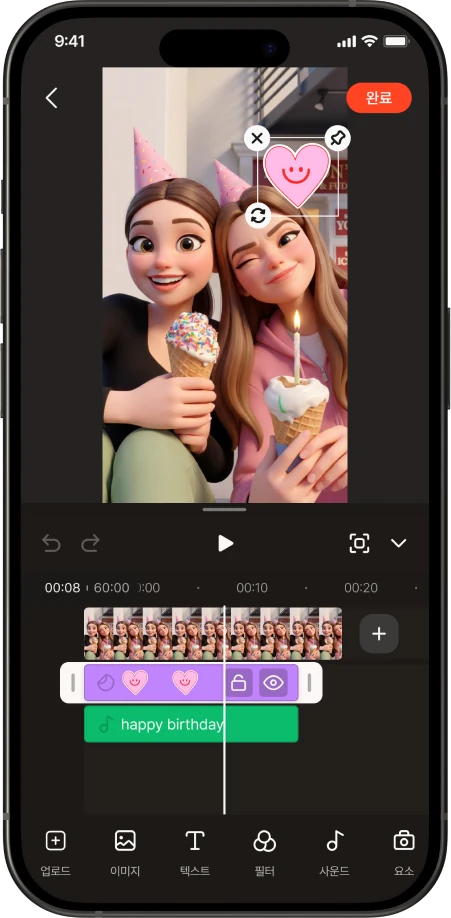
Drag the handle in the middle. Left is the photo from your gallery, right is the video gemgem video made.

 ✱No prompts
 ✱AI writes the captions
 ✱Edit in one app✱
 ✱Pick a template, done
 ✱Short videos, easy for anyone
 ✱Now on gemgem video✱
Q&A
No. Just upload a photo and AI analyzes it and writes the captions automatically. There's nothing to type.
Bright photos with a clear subject work best. People, pets, food and landscapes all work, and portrait photos become 9:16 without cropping.
Usually around 3 minutes per photo.
Not at all. It's an easy editor where you tap to change captions, stickers, filters and music, so there's nothing to learn. And the video is already complete even if you don't edit.
Videos made from your own photos are free to use. If someone else's photo or face is included, you need their consent. See the Terms of Service for details.
Uploaded photos are used only to create your video and are encrypted in transit. You can also request deletion. See the Privacy Policy for details.
Download now
One photo is all it takes to make a short video. Start for free.